Stringman
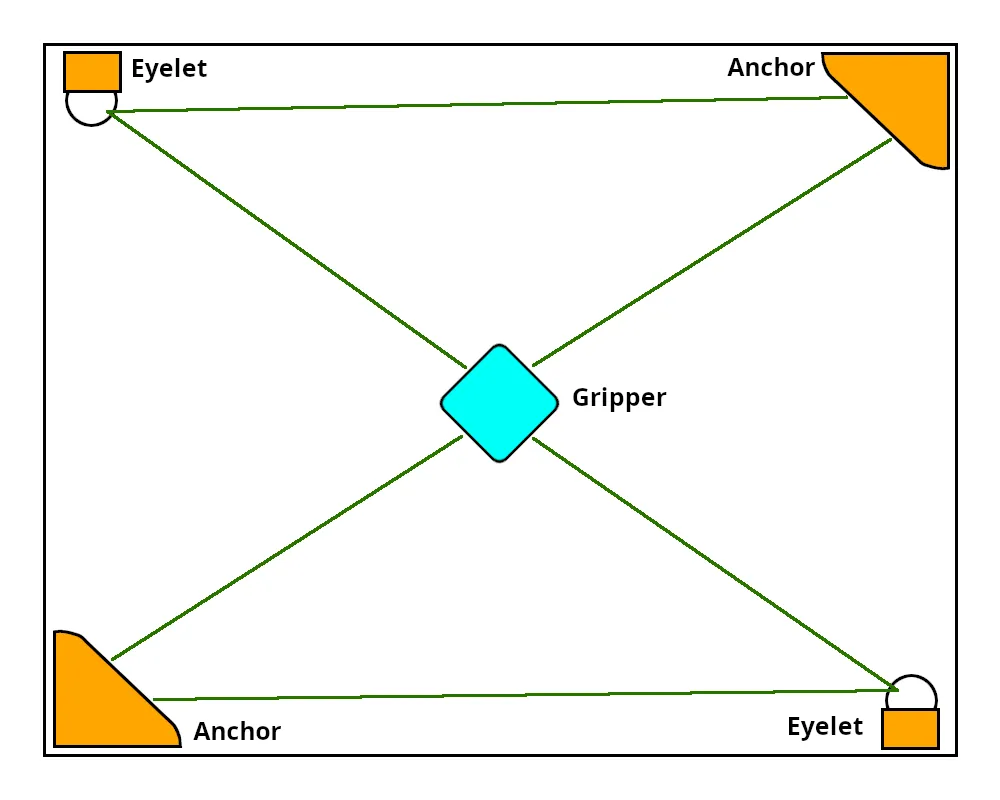
Stringman is a room-scale robot that hangs from the corners of a room on four thin lines. Two anchors mount high in opposite corners and control two lines each, a gripper hangs in the middle from the four total lines, and cameras watch printed markers to track where everything is. You drive it from a Web UI — move around the room, pick things up and drop them off, or record demonstrations to train and use AI policies to do tasks on its own.
It is currently a public prototype. Is is launched, can self-calibrate in a new room and run policies, but is not yet reliable enough to be called a home appliance.
Will it work in my room?
The most important question is whether your space suits a cable robot. The work area is the volume between four points: two anchors in opposing corners and two eyelets in the other two corners. The robot can reach anywhere inside that box.
Stringman will likely work for you if:
- You have a roughly rectangular room with four reachable corners. Chamfered corners and corridors are fine.
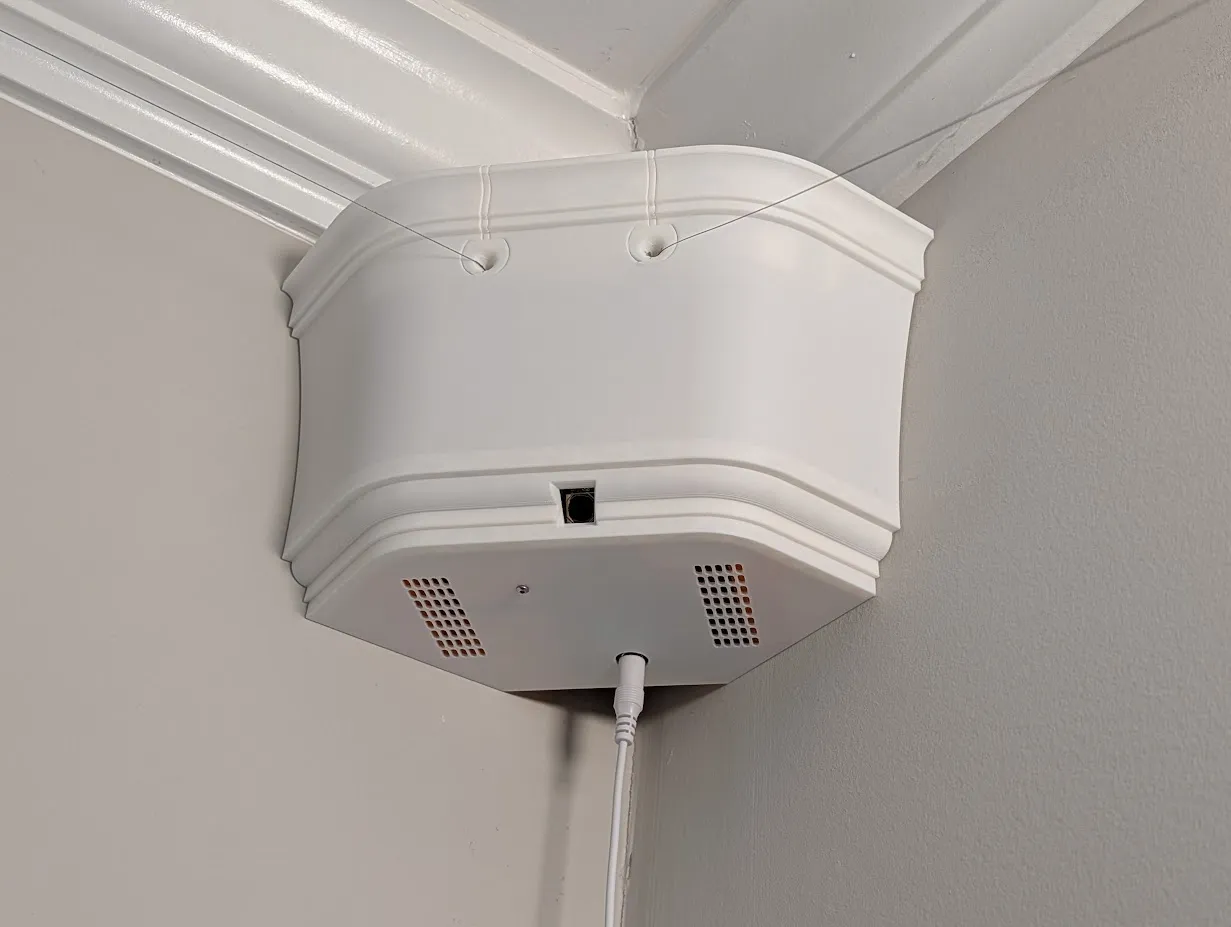
- Each anchor corner has a wall stud — in a drywall home there is always at least one stud behind a corner. Anchors mount about 5 in (13 cm) below the ceiling with two wood screws.
- A power outlets reachable near two opposite room corners.
- The robot parts and your computer can all be on the same Wi-Fi network — an ordinary home network, not a guest network (guest networks stop devices from discovering each other).
- You have a host computer (laptop or desktop) on that network to run the motion controller. For manual motion, a laptop with a typical 8 core cpu will suffice. For local AI model use, Some kind of acceleration is required. All OS's are supported, though windows is an extra headache or three.
- There are no objects hanging from the ceiling to what will be the work area of the robot.
These are fine:
- Ceiling fans — mount the anchors and eyelets at or below the blade height and the lines cannot reach the blades.
- Furniture or a bunk bed in the work area — allowed only against the walls. There is no automatic obstacle avoidance yet, so you may occasionally need to steer around obstacles by hand.
How much work is it? Installation takes about an hour with no interruptions — roughly like hanging a curtain rod, plus about 30 minutes of additional setup and calibration. Full step-by-step detail is in the Installation Guide.
What it is and how it works
A complete Stringman is three Raspberry Pi's's on your Wi-Fi network:
- Two anchors, mounted in opposing corners. Each reels its two lines on motorized spools and has a camera.
- One gripper, which hangs from the four lines on a marker box and has a camera, a rotating wrist, and fingers.
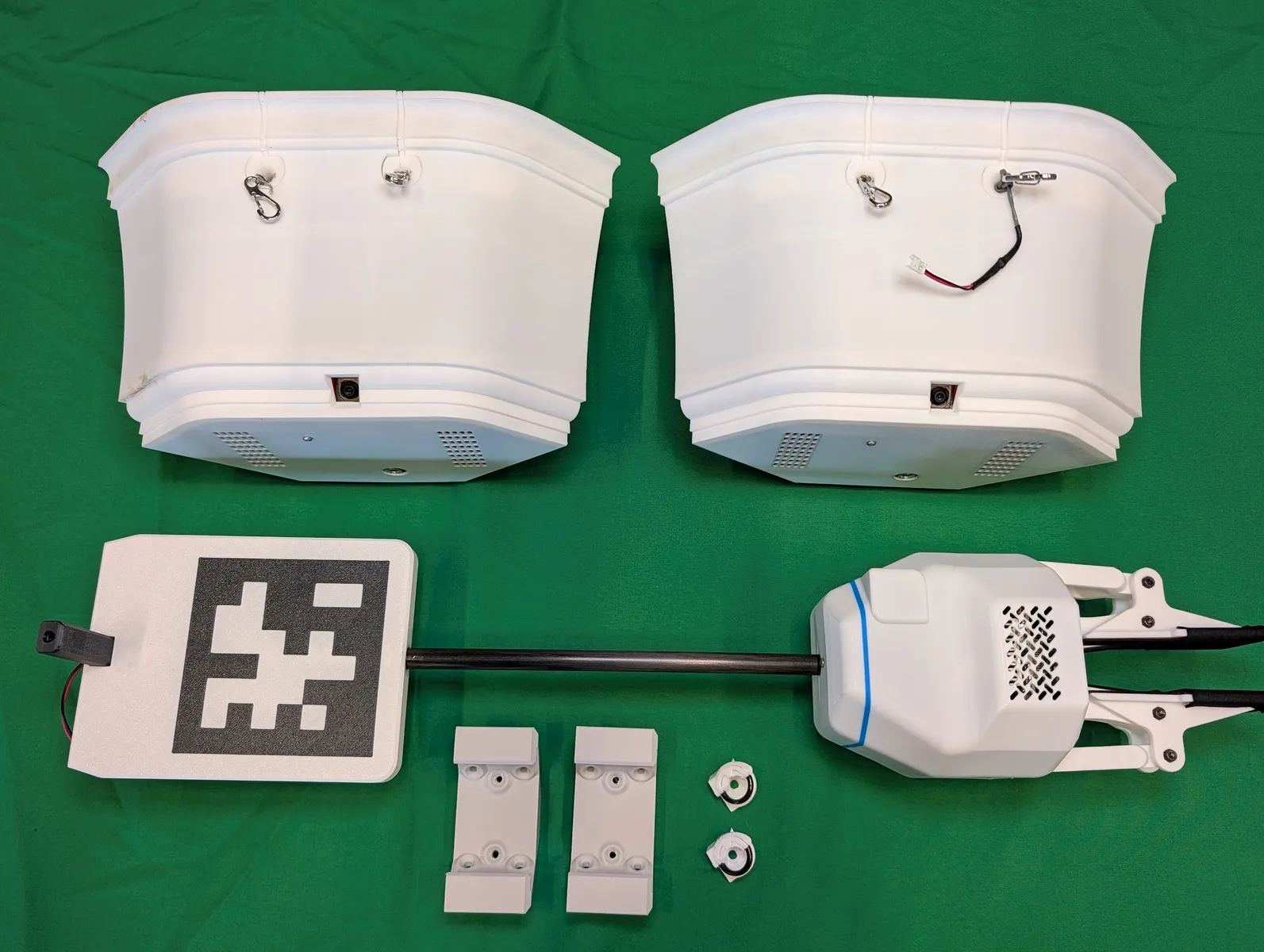
A separate program called the motion controller (stringman-headless) runs on your host computer, discovers the components over the network, fuses the camera and line-length data to estimate the gripper's position, and handles all the kinematics. You view and control everything from the web UI, which opens with a dismissable tutorial for new users.
For the full technical picture — the network layout, telemetry, cloud vs. LAN operation, and how AI fits in — see System Architecture.
Where to next?
Get it running and onto the wall:
- Usage Guide — install the controller software on your computer and confirm the web UI connects to the robot.
- Installation Guide — mount the anchors, hang the gripper, tie up the lines, and calibrate.
Everything you need to make one from scratch:
- Downloads — STL files, Bill of Materials, and the CAD design document.
- Print Guide — print all the parts.
- Assemble with the Anchor Build Guide and Gripper Build Guide.
- System Architecture Explaines how the components communicate.
- Lerobot integration How to record demonstrations and train AI policies.
- LAN-Only Operation Run entirely on your own network, with no cloud connection.
- Troubleshooting Fixes for common setup and connection problems.
- Debug Commands Run individual calibration steps and diagnostics from the maintenance menu.
Quick links
- Web UI: /tutorial — opens with a dismissable tutorial
- Source code: cranebot3-firmware on GitHub
- Files to print & build: Downloads
- Store: You can buy Stringman Assembled, or as a Hardware Kit
Will the lines get in my way or hit me?
Rarely. Like a ceiling fan or a light fixture, the lines live above your head. During normal operation they stay in the top half of the room, and when the robot is idle it parks on a wall hook that keeps the lines within about two feet of the ceiling. They're always visible, but being fishing line, they're thin and easy to forget about.
I won't pretend it never happens, though. I live with two of these, and I've walked into the lines before. It's startling, but harmless — they're light and they give.
The trade is simple: if your floor is messy but your ceiling is clear, a crane robot lets you shift work into the space you aren't using. Whether that's worth it depends on how much mess you're dealing with.
And it isn't permanent. You can take the whole robot down without tools at any time — unhook the carabiners at the line ends and slide the anchors off their mounts.
Safety and Legal
This is a prototype, and it won't always work. Sometimes when moving fast the gripper will crash into things. Some of them have broken during operation and AI policies can act unpredictably. We are doing everything we can to improve this with the feedback and support from early adopters, but for now please be aware of this risk and always keep the kill switch at hand.
The user assumes full responsibility for any injury, damage, or loss resulting from the installation or use of the hardware.
The design for Stringman is published under an Apache 2.0 license.
This documentation is published under a Creative Commons BY-SA 4.0 license.