Troubleshooting and Post-assembly Quality Checks
No robot components are discovered by the control panel
Try independently searching for them on your router's client list by looking for "stringman-gripper", "stringman-anchor", and "stringman-power-anchor".
If they have not connected to the wifi yet, try hard rebooting them and repeating the Wifi connection steps
If they are present on the network, confirm that they are on the same network as the one where stringman-headless is running
Confirm that it is not a guest network that prohibits connections between clients
If all this is good, there could still be the possiblity that the servers have crashed on the robot components and this must be diagnosed with ssh
Calibration results are poor or tension overload happened during calibration
Solution: Make sure the gripper's marker tag is actually visible to the anchors by looking at it from the anchor cameras. The camera views can be expanded for a better view. Make sure you don't have any stray april tags or aruco tags in the room, such as from partially assembled robots, or on any tags on computer screens which are visible to the robot. Make sure there isn't a mirror in the room making tags appear twice in any anchor camera. Use the maximum intensity of lighting available during calibraiton and operation.
Start stringman-headless with --rec_diagnostics to record a calibration_diagnostics.pkl file during a calibration attempt and provide this when asking for support. Let me know if you built the robot yourself or bought it assembled.
If calibration aborted, take note of what step it was on when it aborted.
If you built the robot yourself, please confirm the wide angle camera is in the gripper and the standard cameras are in the anchors.
The wrist motor skips teeth
Solution: Ensure that all of the M3x8 screws that hold the gripper's top and bottom plates together are in place and secure.
Swing cancellation amplifies the swing instead of cancelling it.
Solution: First confirm the "spin" calibration is correct. Put the perspective in gripper mode and drive forward. If the gripper moves in the direction it's nose faces, then this is fine. If not, recalibrate first. (if the origin card you originally calibrated with is still in the exact same spot, you can just run "spincal" to skip the rest of calibration, but if not, you have to do the whole thing.)
If you confirm the gripper spin to room offset is correct, then try re-running the "swinglatencycal" debug command. If this fails to produce a value which cancels swing, you can still try to tune the value manually using the slider under the swing cancellation toggle.
If this doesnt help or the problem is intermittent, it could be lag in the reported IMU numbers from the gripper. is the video from the gripper also lagging? it could be thermal throttling due to excess heat. You can always try running with the cover off.
While recording datasets, the recorded video streams appear to move at hyper speed
Solution: You're missing a lot of frames and the data is unusable. There are two possible reasons. 1. The CPU on the recording machine is completely pegged. You need a bigger one. 2. The wifi bandwidth is exhausted. If the computer running stringman-headless is only using 2.4ghz wifi and you're both reciving robot video there and sending it out somewhere else, it may completely saturate the wifi bandwidth. You may be able to solve it by plugging in ethernet.
Hearing a knocking or scraping sound from the anchor
Solution: The motor frame, if printed in PLA, can soften from the heat the motor dissipates. This is most noticable in the screw holes where the motor mounts. If they've melted little slots the a knocking is the motor rattling in those slots. The frame has to be printed in PETG-CF or something heat tolerant.
If it's a scraping noise, the most likely culprit is that the bearing block of the upper motor isn't screwed in, or it is but it just needs to be pried away from the spool enough that it's not touching.
Line has come off the spool and wrapped around the axle or bearing
If you hear creaking from a spool or notice it does not pull at the normal rate, stop moving and check if the line has become tangled around the axle.
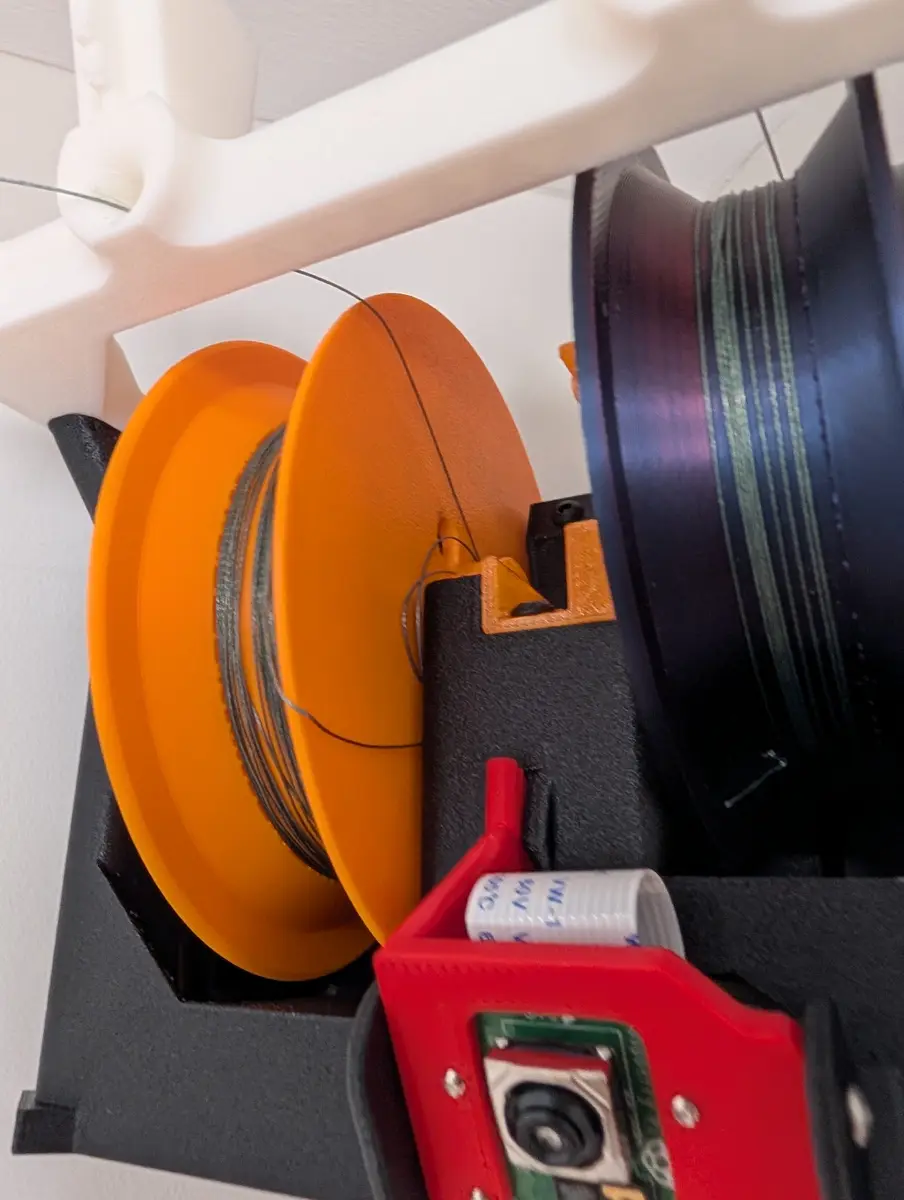
Solution: Power off that anchor and remove the cover. Tape down whatever line is already still on the spool to prevent it from getting worse.
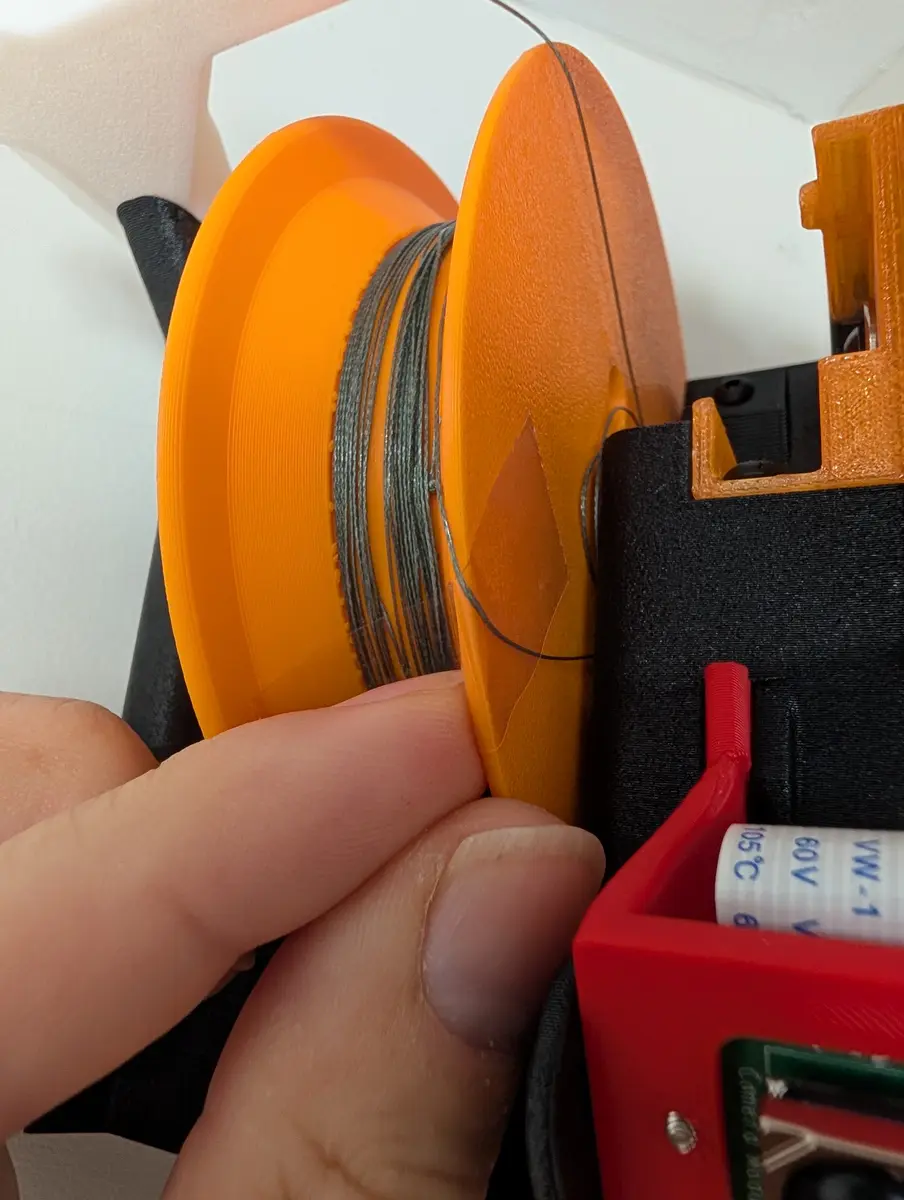
Pull a loop of line up out of the top of the anchor over your finger. Keep it mildly tight as you rotate the spool in whichever direction unwinds the line from the axle until it is free, then remove the tape.
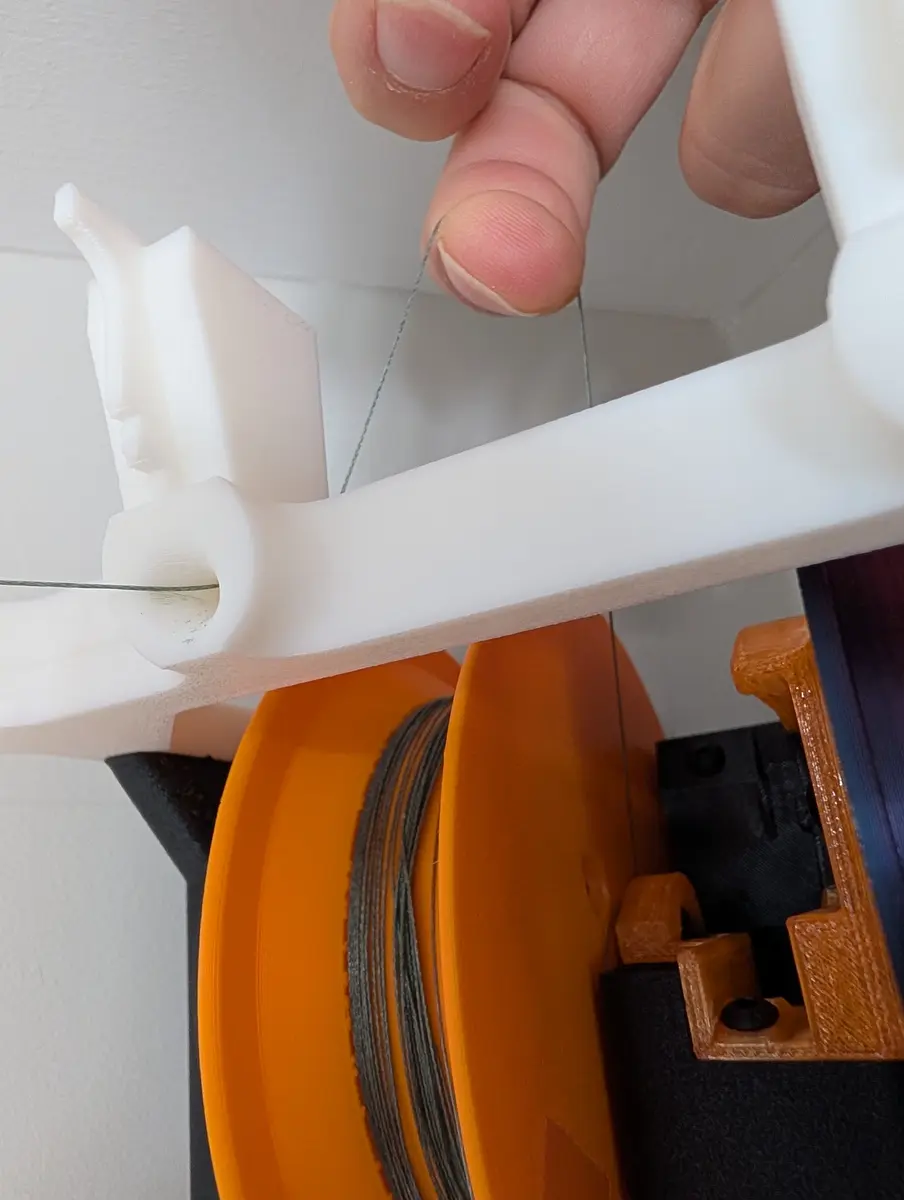
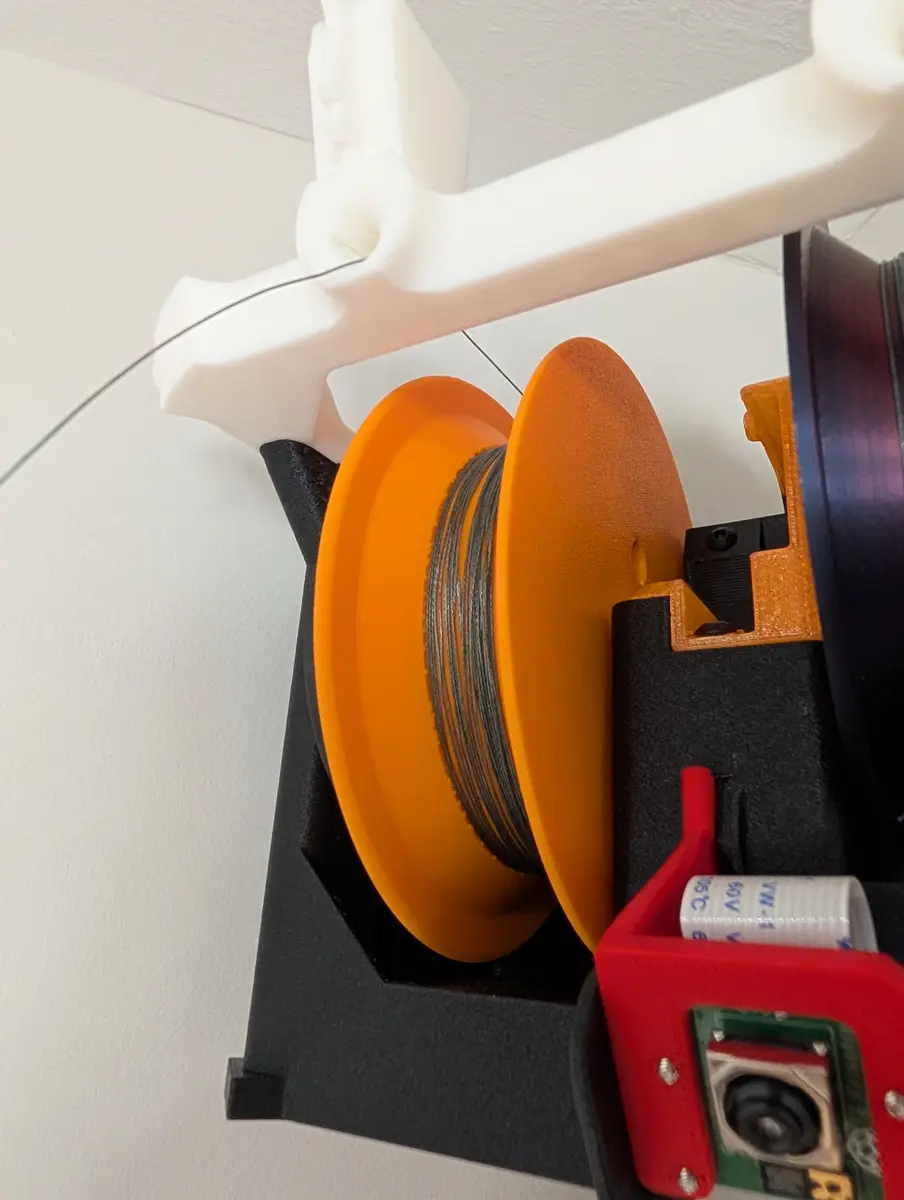
Replace the cover, and plug in the non energized DC jack, then power back on and tighten the line.
The gripper is not detected but it is on the network
Solution: Are you upgrading from a previous gripper? you will have to start from scratch with a new config file, or else delete the grippers address and name from your config file so it will attempt to find a new one.
If you run stringman-headless with --debug and see WARNING:main:Ignored PILOT anchor at 10.0.0.138 because config is locked to ARPEGGIO then The gripper must be broadcasting itself as the wrong type.
ssh into it and re-run the self test script The user is pi and default password Fo0bar!!
sudo systemctl stop cranebot.service
/opt/robot/env/bin/pip install --upgrade "nf_robot[pi]"
/opt/robot/bin/qa-gripper-arp
qa-gripper-arp reports the I2C bus check failed
When running qa-gripper-arp you see
I2C bus check failed. Expected [0x29, 0x48, 0x68], found [none]. Missing: 0x29, 0x48, 0x68. Check I2C connectors (a reversed connector can hold the bus) and wiring.
Solution: Confirm every pin on the pi's header that is needed for a gripper hat is soldered. Especially if the pi was salvaged from an anchor.
The fingers seem stuck together and don't open with L-shift
Solution: Look at the white bar indicator under the gripper in the 3D view. As you hold shift, it should move left. This is the target force. Hold shift to move it all the way to zero and then the fingers will open.
Sometimes however, that's not it and it's really stuck. If that happens, try running the "fingercal" debug command.
Components are intermittently cutting out. Average uptime under 2h
Solution: This is probably a heat issue. If you have an early model you might have extra quiet fans that are not cooling the pi's enough. These can be replaced with any 8000-10000 rpm 5v 30x30x7mm fan. The components have JST-PH connectors and the anchors also have male dupont 2.54 pins for 5v takeoff.
You can also try running with the cover off of whichever component is having the problem.
My floor is covered in junk
Solution: Buy Stringman
Anchor Post Assembly Quality Checks
wiring harness
- Continuity of each conductor checked from pins stuck into the plugs at each end.
- 5 volt output on the regulator. (ALWAYS check this before connecting it to a raspberry pi of you will destroy one)
Motor:
- Confirm UART mode
- Confirm uart baud of 38400
- Confirm motor jumper is present
- Confim that in idle for 30 seconds, motor is still completely cool to the touch.
Body
- Confirm spool retainer is secure
- Confirm spool is centered and moves without touching anything
- Slide the pully wheel on the motor shaft until motion is as quiet as possible
Software
Confirm motor serial communication. if not working, check the following issues
* Double check continuity of serial wires
* confirm dtoverlay=disable-bt in /boot/firmware/config.txt
* confirm sudo systemctl status serial-getty@ttyAMA0.service is disabled
- Confirm the cranebot service is enabled.
- Confirm camera connection is working (TODO instructions)
- Confirm tightness switch is working (TODO instructions)
Cover
- Confirm that a tight line clicks the switch from all angles, and a loose line unclicks it. The lever arm can be bent DOWN to bias it towards clicking ON and vice versa
- Confirm that a swivel is tied on the end of the line outside of the cover
- put the m2.5x6 screw in the bottom of the cover after of the above checks, so that it serves as an indicator.
Gripper Post Assembly Quality Checks
Fingers
- Confirm that when the finger servo is commanded to an angle of 90, the fingers completely touch and press together firmly. If they do not, the drive gear's mesh with the finger needs to be adjusted by one tooth.
- Confirm the pressure sensors's wires don't kink at the point where they enter the finger shaft.
- Calibrate the pressure sensor
Spool/Winch
- Confirm no loops of wire protrude from the spool and that it is wound cleanly. If not, rewind it.
- Confirm the encoder produces correct readings. If not, the Inventor Hat Mini may need an update
- Confirm there is no scraping noise heard when the spool spins. there should be only the sound of the servo.
Sensors
- Confirm IMU is plugged in and produces correct readings.
- Confirm rangefinder is plugged in and produces correct readings.
- Confim limit switch is plugged in and produces correct readings.
- Confirm camera is plugged in and can stream video.
Post Install Quality Checks
- Confirm the power wire does not have any loops or bulges in it. if so, smooth them out.
- Confirm the two-pin plug at the gantry has no tension on it. The braided fishing line should be bearing all the weight. If necessary, untie the gripper's fishing line end from the keyring, shorten it a few centimeters, and retie it. Always use a palomar knot. The power line at the gantry should have a slack loop where the plug floats with no forces on it.